
Start with the preview.
Open the Cinderwatch Lantern and choose Inspect model in 3D. Orbit around it, zoom out, then toggle the scale grid. The browser loads the same GLB offered in the file drawer. Download the GLB to use that model; choose its ZIP for the same file with a short README.
A GLB is the binary form of glTF. It can carry geometry, materials and embedded images in one file. A successful browser preview tells you this viewer can read this file. Test your own target application before relying on its import, lighting or material behavior. The Khronos glTF overview describes the format.
Size first. Detail second.
The lantern’s measured bounds are 0.86 × 2.02 × 0.86 metres. Its pivot is recorded as “Ground center.” Check both against the scale and placement you need. A small prop enlarged into a centerpiece can reveal detail limits that were easy to miss in its thumbnail.
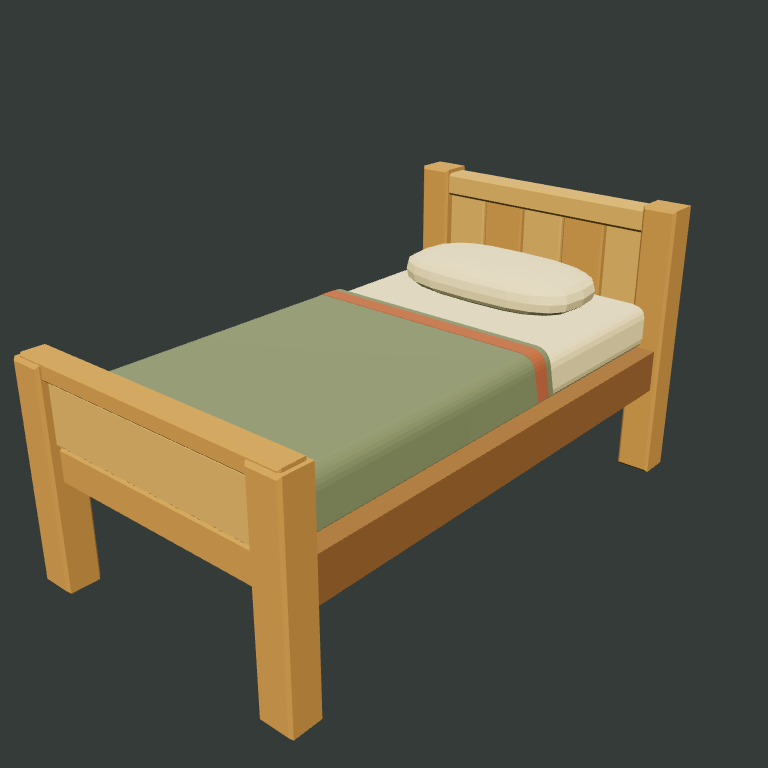
Triangle count describes geometry, rather than how good the object looks. The lantern has 524 triangles. The bed has 1,436 in its standard model and 620 in its supplied LOD. Neither number is a frame-rate guarantee: the number of objects, materials, texture sizes, shadows and the device all affect the result.
Check the bottom, silhouette, joins and thin surfaces in the live preview. Read the source note for intentional simplifications. A poster shows one angle; a useful inspection uses several.
A color map is one piece.
The bed has an embedded 512 × 512 RGB color map and matte roughness. Its pack includes the standard and lighter models, color maps, a conservative collision envelope and a technical README. It does not supply normal or metalness maps. The cabin shell’s finish kits supply color, normal and roughness maps; those are separate asset packages.
Expand LOD, collision & color maps on the bed page to see its actual optional files. A collision envelope is a simplified shape for you to integrate and test; it is not a ready-made physics setup. The models are static, without a rig or animation clips.
Try the lighter version.
Open Alder Cabin in Scene Lab, choose Bed & porch, then turn on Lighter extensions. This switches the bed, rocker and patio to their supplied LOD files while keeping the original kit models unchanged. Inspect the silhouettes and surface detail at the distance you intend to use.
Download the LOD GLB if that version fits your needs. Scene Lab does not configure an engine LOD system, and your exported arrangement recipe does not bundle models. Keep the asset downloads alongside your recipe. Read each asset’s source and CC0 terms before reuse.
Inspect the bed files